Gmail to PDF, saved in Google Drive
Save any Gmail email as a PDF in Google Drive, attachments included
Open an email, press Save as PDF, and the PDF and its attachments land together in the Google Drive folder you choose. Free for 25 emails a month, then €6 a month with no limit.
No card needed. MailFile opens in the side panel of Gmail, next to the email you are reading.
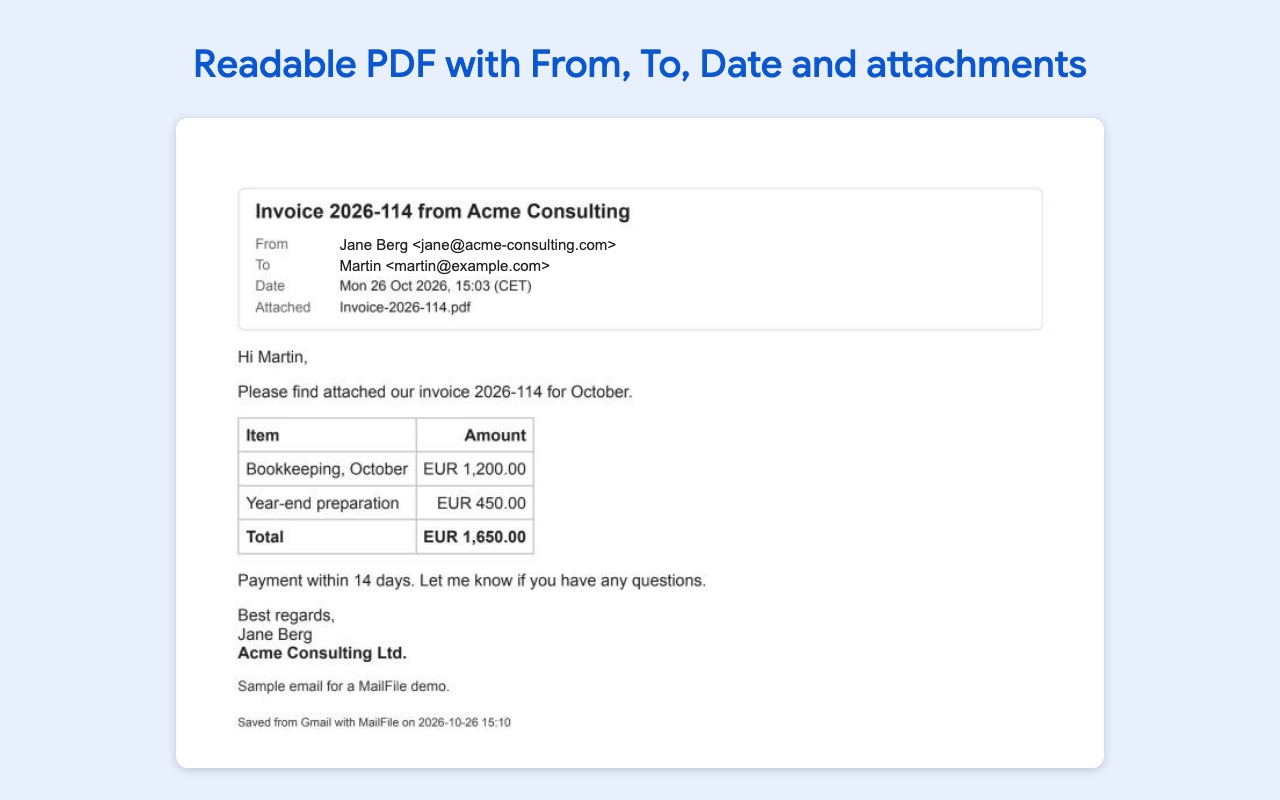
The PDF looks like the email, with a clear header
Tables, logos and images come out the way they looked in Gmail. At the top of every PDF you see who sent it, who got it, the date, the subject and the names of the attachments, so the PDF works as a record you can print, share or hand to your accountant or your lawyer.
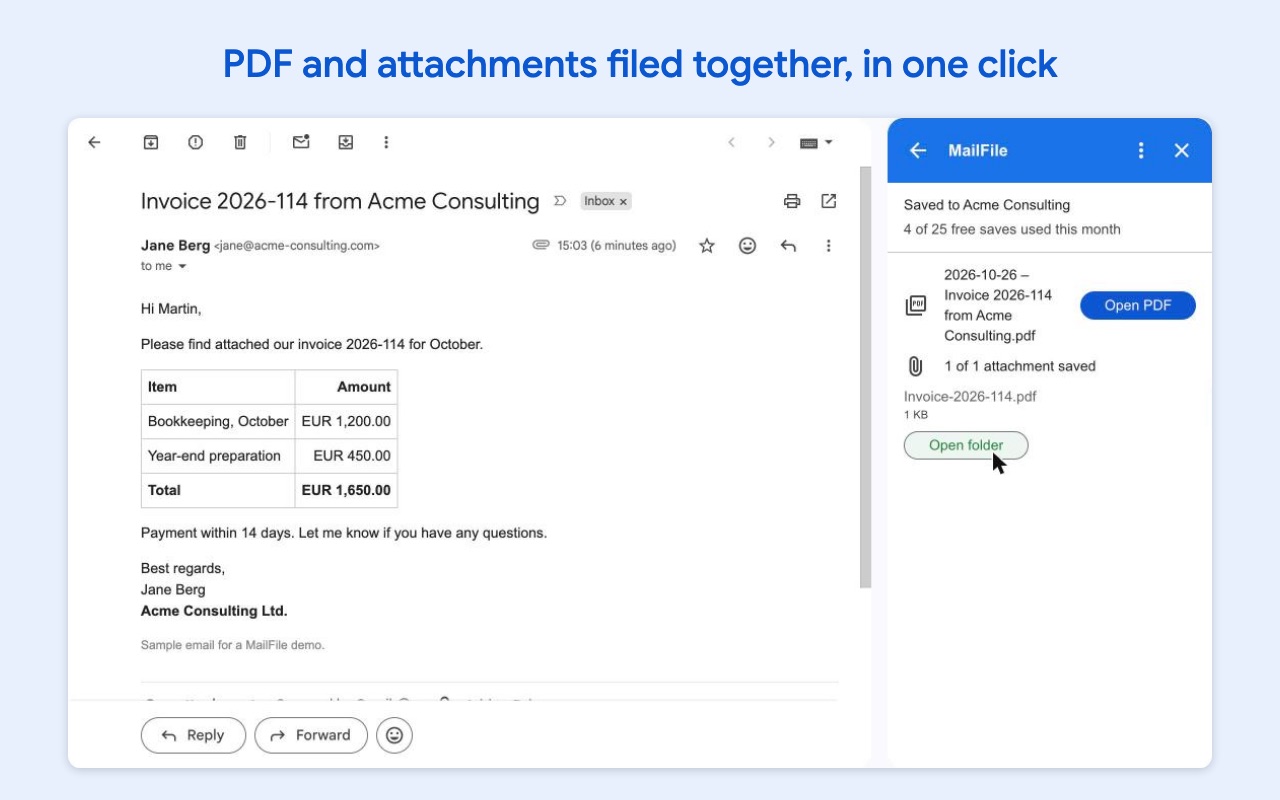
The attachments go in the same folder
Every attachment is saved next to the PDF in its original format: PDF, Word, Excel or image. The files get names you can find again, like "2026-10-26 – Invoice 2026-114 from Acme Consulting.pdf", and you choose the pattern.
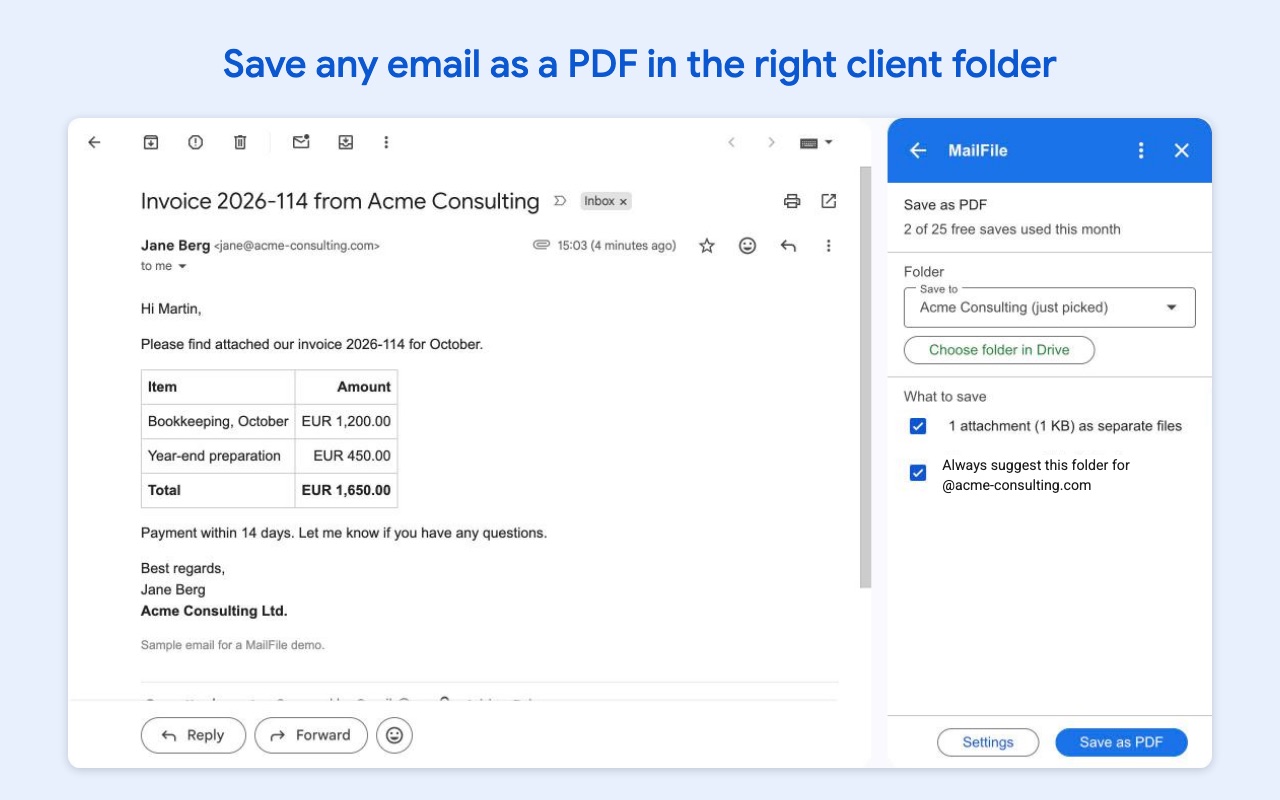
The right folder, every time
Tell MailFile once where a client's emails belong, and the next email from the same company suggests the same Google Drive folder. You can add subfolders per year or per month, and you can never save the same email twice by accident: MailFile shows Already saved with a link to the PDF.
Save a whole email thread as one PDF
With Pro, every reply in a conversation goes into one PDF in date order. That is the whole story of a case, a deal or a complaint in one file.
It only reads the email you open
Many tools that save Gmail to Google Drive ask to read, send and delete all of your email. MailFile can only read the email you have open and only use the folders you choose. The PDF is made inside your own Google account, and your emails never reach our servers.
Plans
Free
€0
25 emails a month
- PDF with From, To, Date and attachments
- Attachments in the same folder
- 3 remembered folders
- No duplicates
Pro
€6
a month, or €60 a year
- No limit on emails
- A whole email thread as one PDF
- Every folder remembered
- Subfolders per year or month
Team
€9
per person a month, from 3 people
- Everything in Pro
- Shared folders for the whole office
- One invoice for the team
Prices exclude VAT. Paid plans are sold through Stripe. Cancel any time in MailFile under Plan & billing.
How to save a Gmail email as a PDF in Google Drive
- 1
Install MailFile
Click Install on the Google Workspace Marketplace page and choose your Google account. MailFile appears in the side panel on the right in Gmail.
- 2
Open the email you want to keep
Open any email in Gmail on your computer and click the MailFile icon in the side panel.
- 3
Pick the Google Drive folder
Choose a folder in your Google Drive, or click New folder and MailFile suggests one named after the sender's company.
- 4
Press Save as PDF
The PDF and the attachments land together in that folder. Click Open PDF to see the result.
Questions
Is MailFile free?
Yes, for 25 emails a month, with the attachments, the header and the folder suggestions included. No card is needed. If you save more, Pro is €6 a month with no limit.
Can I save a Gmail email as PDF without an add-on?
Yes. Open the email, click the printer icon and choose Save as PDF as the destination. The PDF lands on your computer, not in Google Drive, and you have to download and move each attachment yourself. MailFile does all of that in one click and puts everything in the right Google Drive folder.
Are the attachments saved too?
Yes. Every attachment is saved next to the PDF in its original format, so a Word file stays a Word file and an invoice PDF stays a PDF. The PDF of the email lists the names of the attachments in its header.
Can I save a whole email thread as one PDF?
Yes, with Pro. MailFile puts every reply in the conversation into one PDF, in date order.
What happens if I save the same email twice?
Nothing. MailFile recognises emails it has already saved and shows Already saved with a link to the PDF, so your folder never fills up with copies.
What can MailFile see in my Gmail and Google Drive?
Only the email you have open and only the folders you choose. It cannot read the rest of your inbox or open other files in your Google Drive. The PDF is made inside your Google account, and your emails never reach our servers.
More help: MailFile help and support. MailFile is made by AddonNordic ApS, Aalborg, Denmark (CVR 46495985). Gmail and Google Drive are trademarks of Google LLC; MailFile is not made or endorsed by Google.
Save your first 25 emails free
Install MailFile, open any email in Gmail and press Save as PDF. The PDF and its attachments are in your Google Drive a few seconds later.