Mail merge for Google Sheets and Google Docs
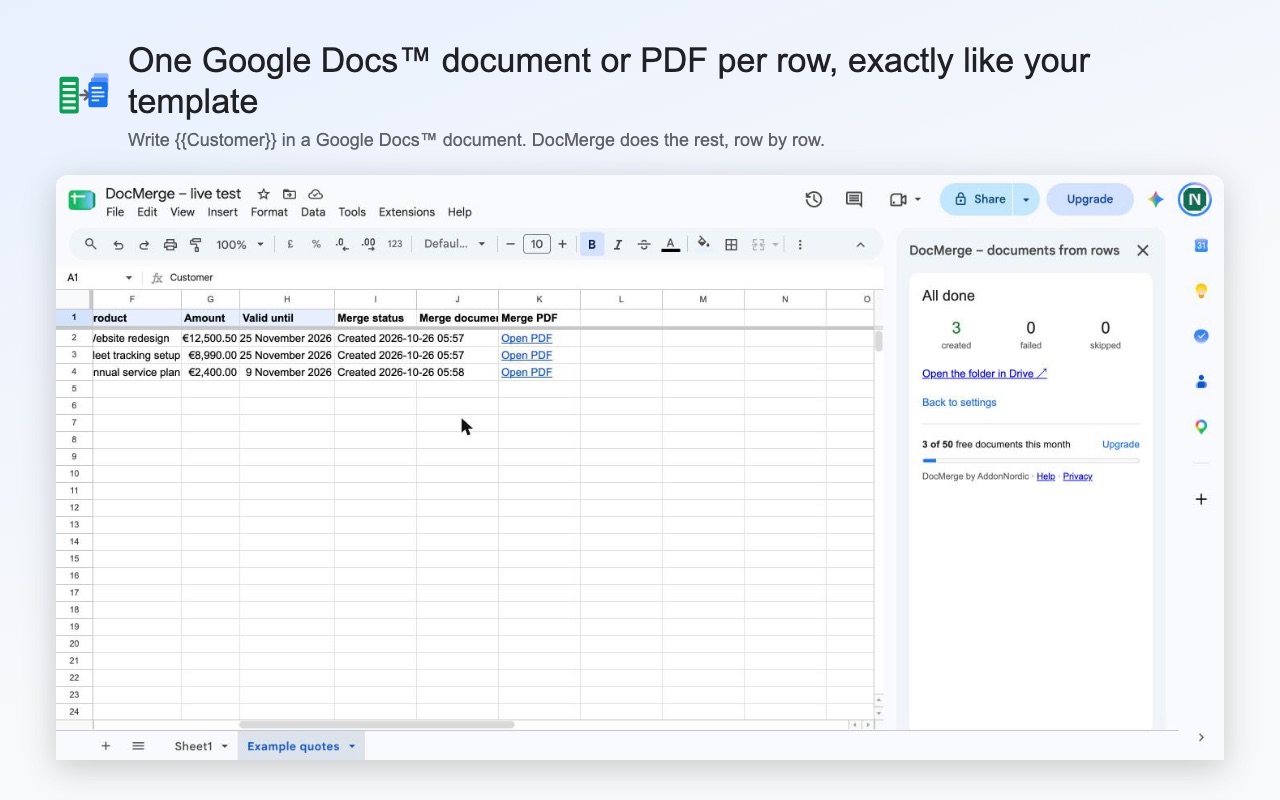
One Google Doc or PDF per row of your sheet, exactly like your template
Quotes, certificates, contracts, letters and invoices, made from your Google Sheet in one click, with your fonts, tables and logo kept. Free for 50 documents a month, then €8 a month with no limit.
No card needed. Click Insert example and you have three finished PDFs in under a minute.
Your template comes out exactly as you designed it
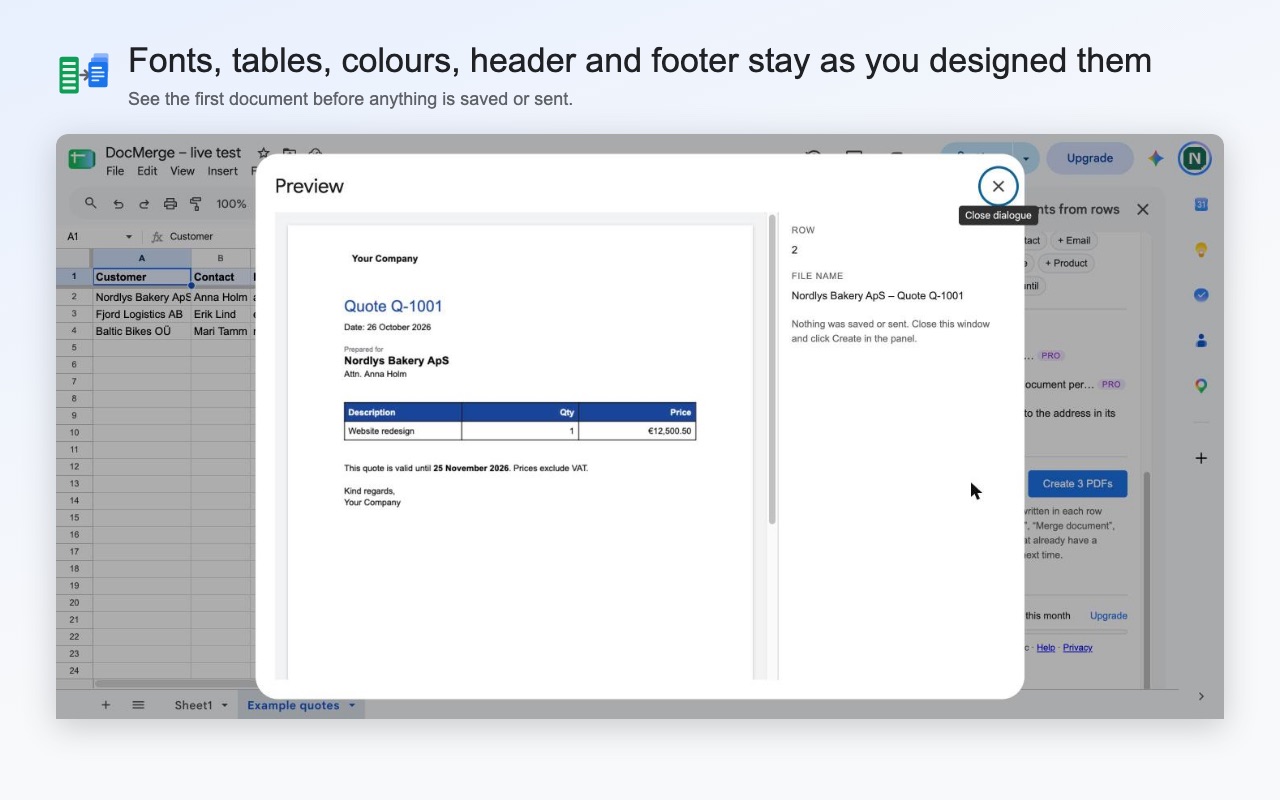
DocMerge copies your Google Docs template for each row and only swaps the {{fields}} for your values. Fonts, colours, tables, logos, headers and footers stay where you put them. Amounts and dates appear just as they look in your sheet, so a date never moves by a day. You see the first document as a PDF before anything is saved.
Every row gets a link to its document
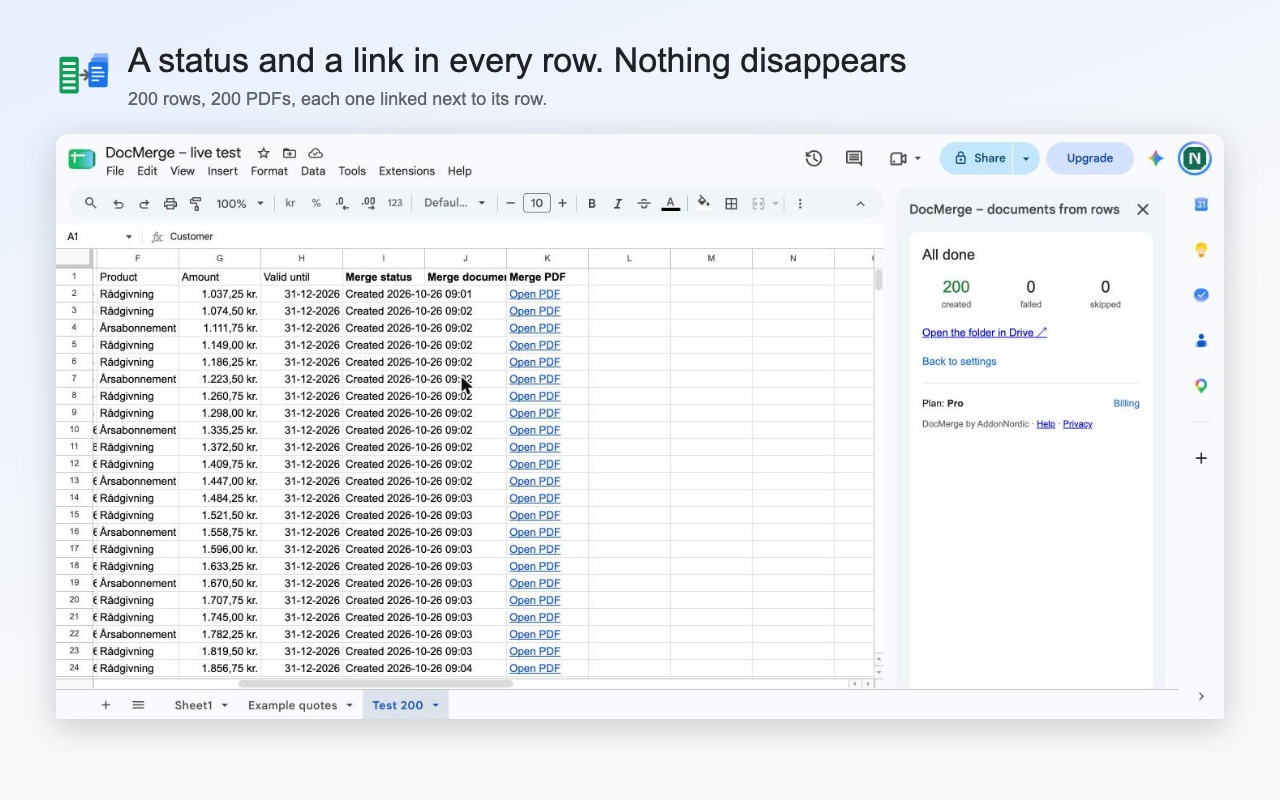
When DocMerge is done, each row in your sheet has a status and a link to its Google Doc and PDF. If a row cannot be made, the status says why in plain words, and the next run only makes the rows that are missing. Large sheets are no problem: DocMerge keeps going until the last row is done.
Email each PDF to the person in the row
Tick one box and every student gets their certificate and every customer gets their quote, sent from your own Gmail with the PDF attached and the subject filled in from your columns. It is included in the free plan.
It only opens the files you pick
Many mail merge add-ons ask to see every file in your Google Drive. DocMerge can only open the sheet you are working in, the template you choose and the folder you choose. Your rows and documents stay in your own Google account and never reach our servers.
Plans
Free
€0
50 documents a month
- Google Docs and PDF
- Email each PDF from your Gmail
- File names from your columns
- Preview and a link in every row
Pro
€8
a month, or €72 a year
- No limit on documents
- Invoices with several lines
- Only rows that match a filter
- Logos and photos from links in your sheet
Team
€6
per person a month, from 3 people
- Everything in Pro
- One invoice for the whole team
Prices exclude VAT. Paid plans are sold through Stripe. Cancel any time, and get a full refund within 14 days of your first payment.
How to mail merge from Google Sheets to Google Docs
- 1
Put your data in a Google Sheet
One row per document, with column names in row 1, for example Customer, Amount and Email.
- 2
Write your template in Google Docs
Design it the way you want it to look. Where a value should go, type the column name in double curly brackets: {{Customer}}, {{Amount}}. Fields work in text, tables, headers and footers.
- 3
Open DocMerge and click Preview
In your sheet, choose Extensions → DocMerge → Open DocMerge, pick your template and see the first document as a PDF before anything is saved.
- 4
Click Create
DocMerge makes one Google Doc, PDF or both per row in the Drive folder you choose, and writes a link to each one next to its row.
Questions
Is DocMerge free?
Yes, for 50 documents a month, with PDF, email and file names from your columns included. No card is needed. If you need more, Pro is €8 a month with no limit.
Will my template's formatting be kept?
Yes. DocMerge copies your Google Docs template and only swaps the {{fields}} for the values in your sheet. Fonts, colours, tables, logos, page breaks, headers and footers stay exactly as you designed them.
Can I make certificates, invoices or contracts with it?
Yes. Anything you can design in Google Docs works: certificates for a course, quotes, contracts, letters, invoices. Invoices with several lines per customer are part of Pro.
How many rows can I merge at once?
There is no limit per run. DocMerge keeps going until the last row is done, and if you close the panel, it picks up where it stopped. Rows that already have a document are never made twice.
Can it email each PDF?
Yes, from your own Gmail account, one email per row with the PDF attached and the subject filled in from your columns. Use it for documents people expect, such as their certificate or their invoice.
What can DocMerge see in my Google Drive?
Only the spreadsheet you are working in, the template you pick and the folder you pick. It cannot open your other files, and your rows never leave your Google account.
More help: DocMerge help and support. DocMerge is made by AddonNordic ApS, Aalborg, Denmark (CVR 46495985). Google Docs, Google Sheets, Google Drive and Gmail are trademarks of Google LLC; DocMerge is not made or endorsed by Google.
Make your first 50 documents free
Install DocMerge, open any Google Sheet and click Insert example to see it work on a sample quote.