Google Sheets to Google Calendar
Turn Google Sheets rows into Google Calendar events, and keep them in sync
Shifts, classes, bookings and deadlines go from your sheet into Google Calendar in one click. Change a row, and the same event changes, with no duplicates. Free for 100 changes a month, then €5 a month.
No card needed. Click Insert sample shift plan, and the events are in your calendar in under a minute.
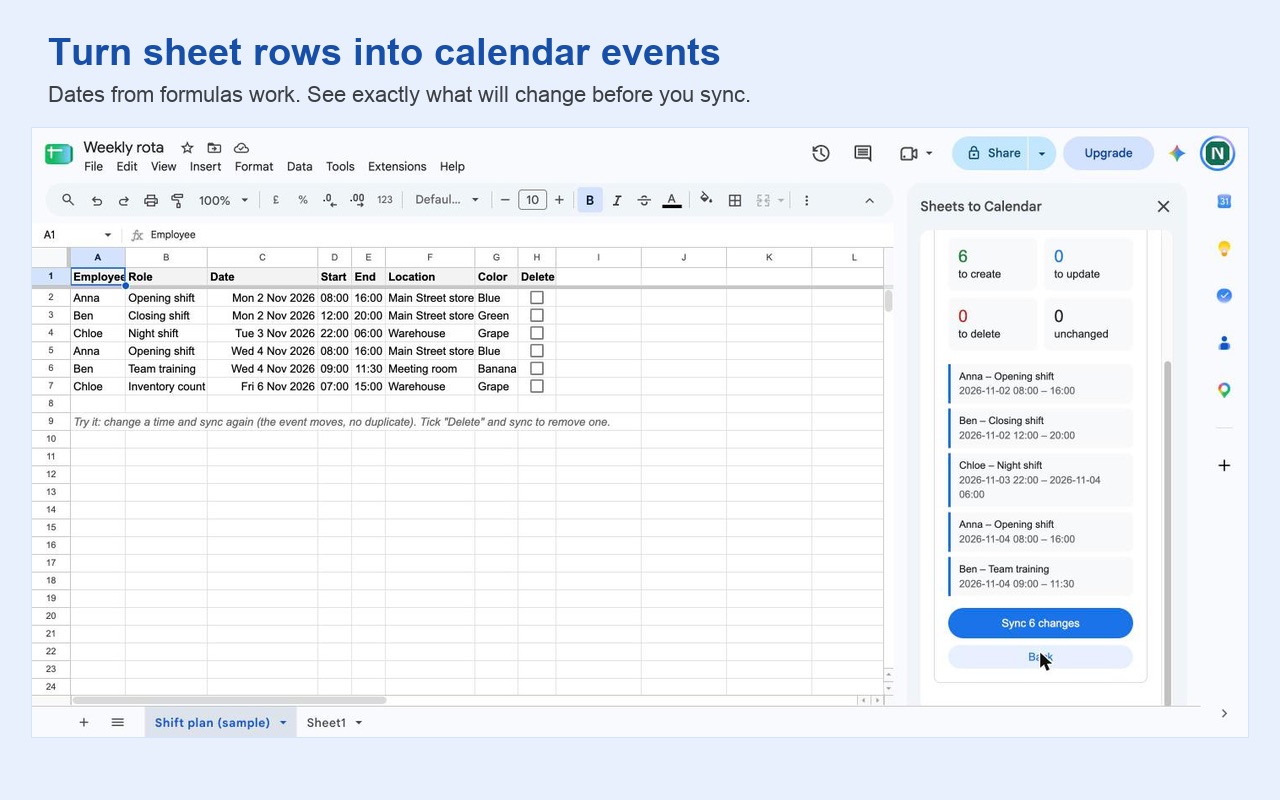
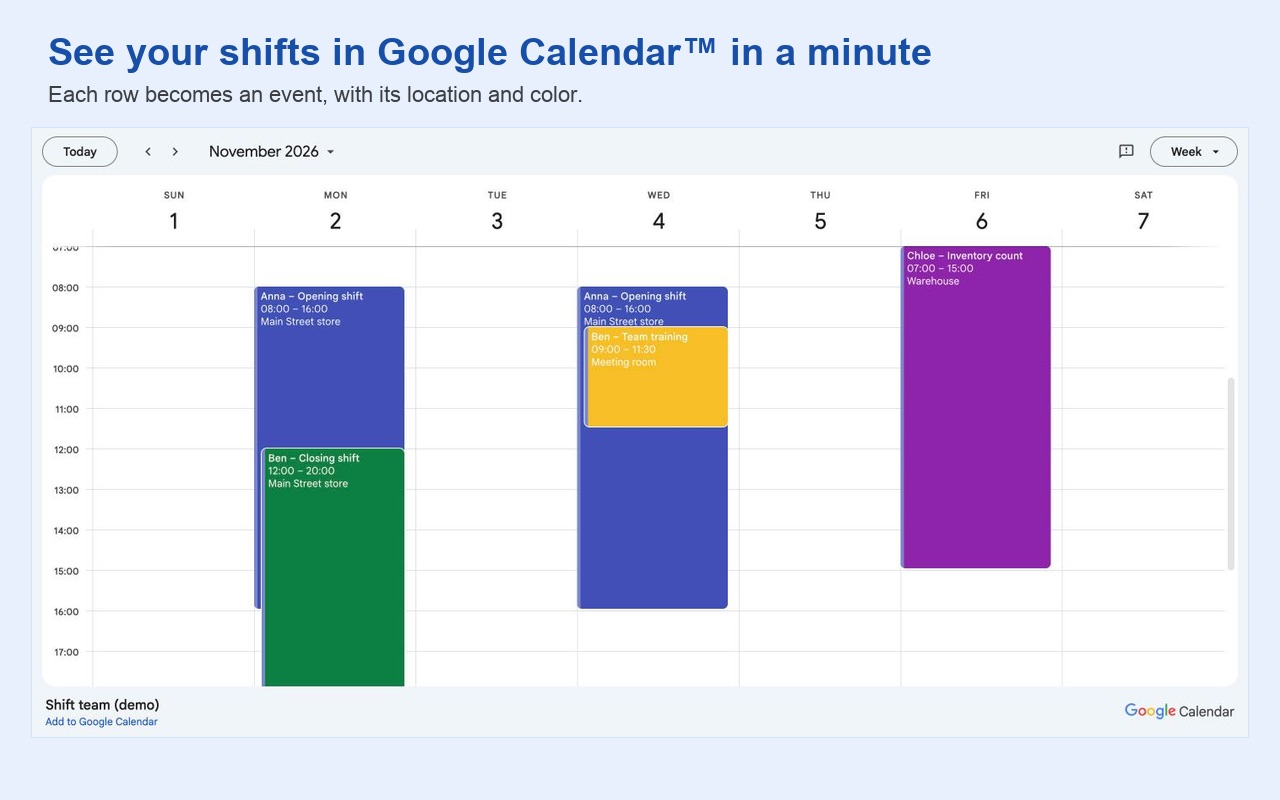
Every row becomes an event with everything in it
Title, start and end, all day, location, description, guests, colour, reminders and a Google Meet link, each from its own column. Dates from formulas work, and so do night shifts that end after midnight. You see exactly what will be created, updated or deleted before anything changes.
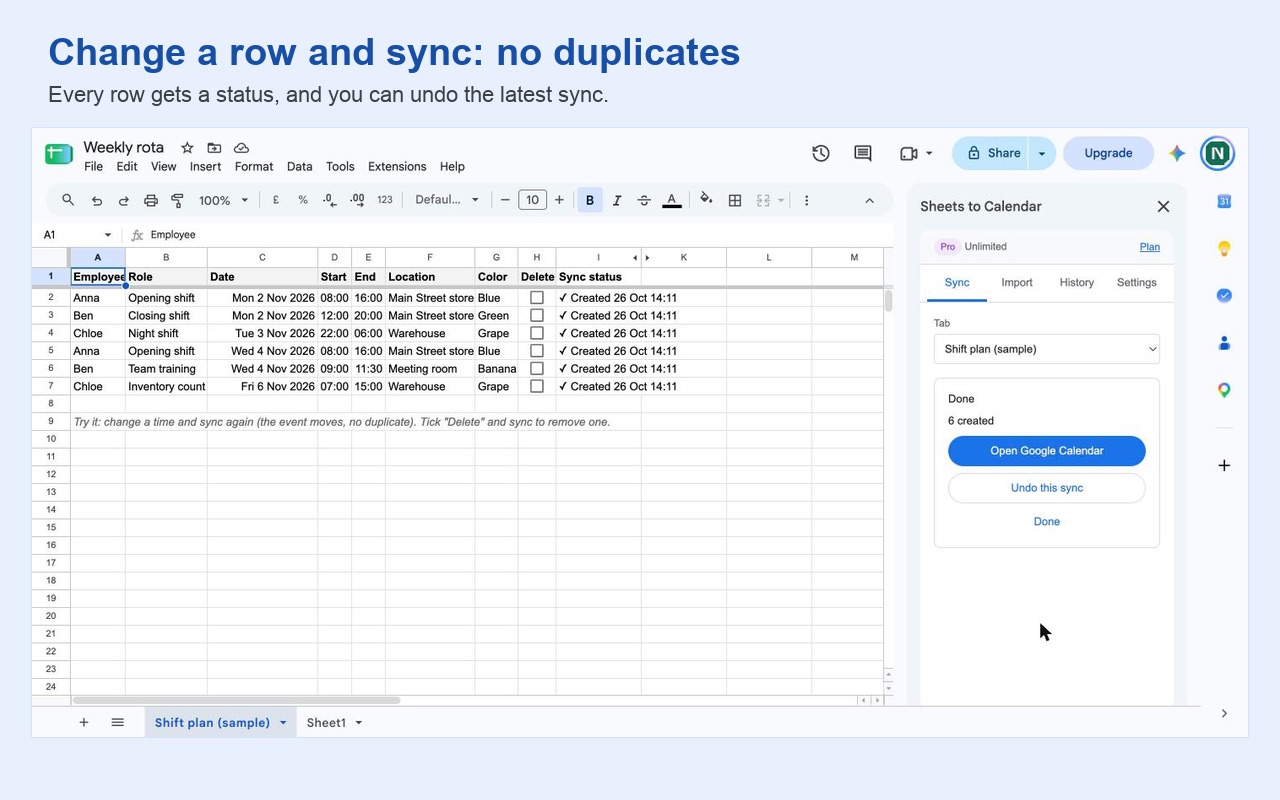
Change a row and sync again: no duplicates
Each row stays linked to its event. Move a shift in the sheet, and the event moves. Tick Delete, and the event is gone. Every row gets a status, so you can see what happened and why a row was skipped, and if you made a mistake, you can undo the latest sync in one click.
Google Calendar to Google Sheets, too
Import the events from the dates you choose into a tab, free on every plan. With Pro, the sync runs both ways every hour: when someone moves or renames an event in Google Calendar, the row in your sheet follows, and your formulas are never overwritten.
A flat price, with a free plan that does not run out
You get 100 free changes every month, not a trial. When you need more, Pro is €5 a month for unlimited changes, with no fee per event. If Pro does not work for you, write to us within 14 days and you get your money back.
Plans
Free
€0
100 changes a month
- Sheets to Google Calendar
- Import Google Calendar into a sheet
- Preview and undo the latest sync
- A status on every row
Pro
€5
a month, or €48 a year
- Unlimited changes
- Automatic sync every hour
- Two-way: calendar changes come back to the sheet
- Each row to its own calendar
Team
€15
a month for up to 10 people
- Everything in Pro
- For everyone at your company
- One invoice
Prices exclude VAT. Paid plans are sold through Stripe. Cancel any time, and get a full refund within 14 days.
How to create Google Calendar events from Google Sheets
- 1
Install Sheets to Calendar
Click Install on the Google Workspace Marketplace page and choose your Google account.
- 2
Open your sheet, or start from the example
In Google Sheets, choose Extensions → Sheets to Calendar → Open side panel. No sheet yet? Click Insert sample shift plan.
- 3
Check what will happen
Pick the tab and the calendar. Sheets to Calendar finds your title, date and time columns and shows you, for example, 6 to create, 0 to update, 0 to delete.
- 4
Click Sync
The events are in your Google Calendar a few seconds later, and every row gets a status. Change a row and sync again to update the same event.
Questions
Is Sheets to Calendar free?
Yes, for 100 changes a month, every month, with no trial that runs out. Importing events from Google Calendar into a sheet is free on every plan. Pro is €5 a month for automatic two-way sync and unlimited changes.
Will it create duplicate events if I sync again?
No. Each row is linked to its event. Change a row and sync again, and the same event is updated. Tick Delete in a row, and the event is removed.
Can I import Google Calendar events into Google Sheets?
Yes. Choose the dates and the calendar, and the events land in a tab, one row per event. The imported rows stay linked, so you can edit them in the sheet and sync the changes back.
Does it sync automatically?
With Pro, yes: every hour, also when nobody has the sheet open. Pro also syncs both ways, so if someone moves an event in Google Calendar, the row follows. Formulas in your sheet are never overwritten.
Do dates from formulas and night shifts work?
Yes. Dates from formulas such as =A2+7 or =WORKDAY work, and so do separate date and time columns, shifts that end after midnight and a time zone per row. Repeating events can be written in plain words, like Weekly or Every 2 weeks.
What can the add-on see in my Google account?
Only the spreadsheet you use it in, not your whole Google Drive, and your calendar events, without permission to delete whole calendars. There is no account to create, and your rows and events never pass through our servers.
More help: Sheets to Calendar help and support. Sheets to Calendar is made by AddonNordic ApS, Aalborg, Denmark (CVR 46495985). Google Sheets, Google Calendar, Google Meet and Google Drive are trademarks of Google LLC; Sheets to Calendar is not made or endorsed by Google.
Put your sheet in your calendar free
Install Sheets to Calendar, open any Google Sheet and click Insert sample shift plan to see six shifts appear in your Google Calendar.