Scheduled email reports for Google Sheets
Email your Google Sheet as a PDF automatically, every day, week or month
Pick a tab, choose when and who gets it, and the report lands in their inbox as a clean PDF, even when the spreadsheet is closed. One weekly report is free. Pro is €5 a month for all your reports.
No card needed. Click Email me this tab as a PDF and the test is in your inbox in under a minute.
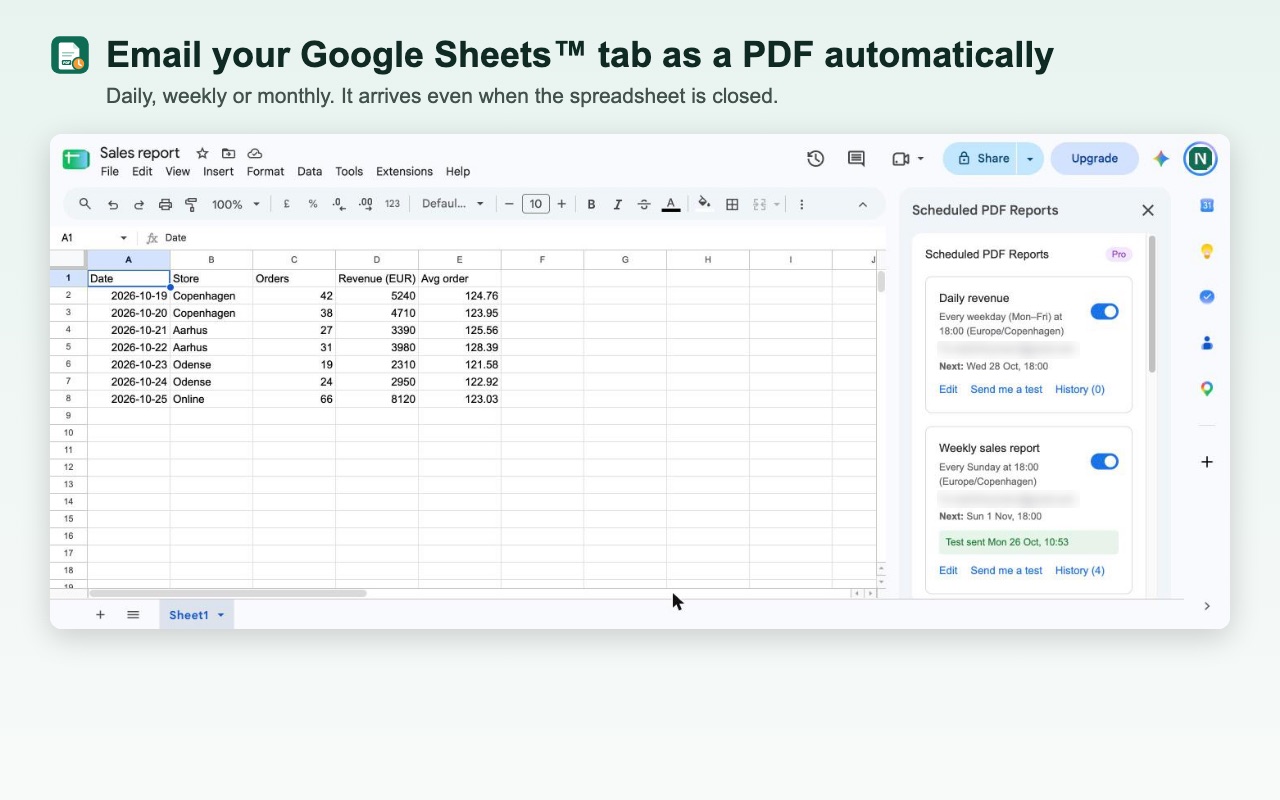
Set it up once, and it goes out by itself
Choose weekly, monthly, daily, weekdays only or every hour, the time, and your time zone. Your boss gets Monday's numbers before the meeting, your client gets the monthly report on the first, and nobody has to remember to send it.
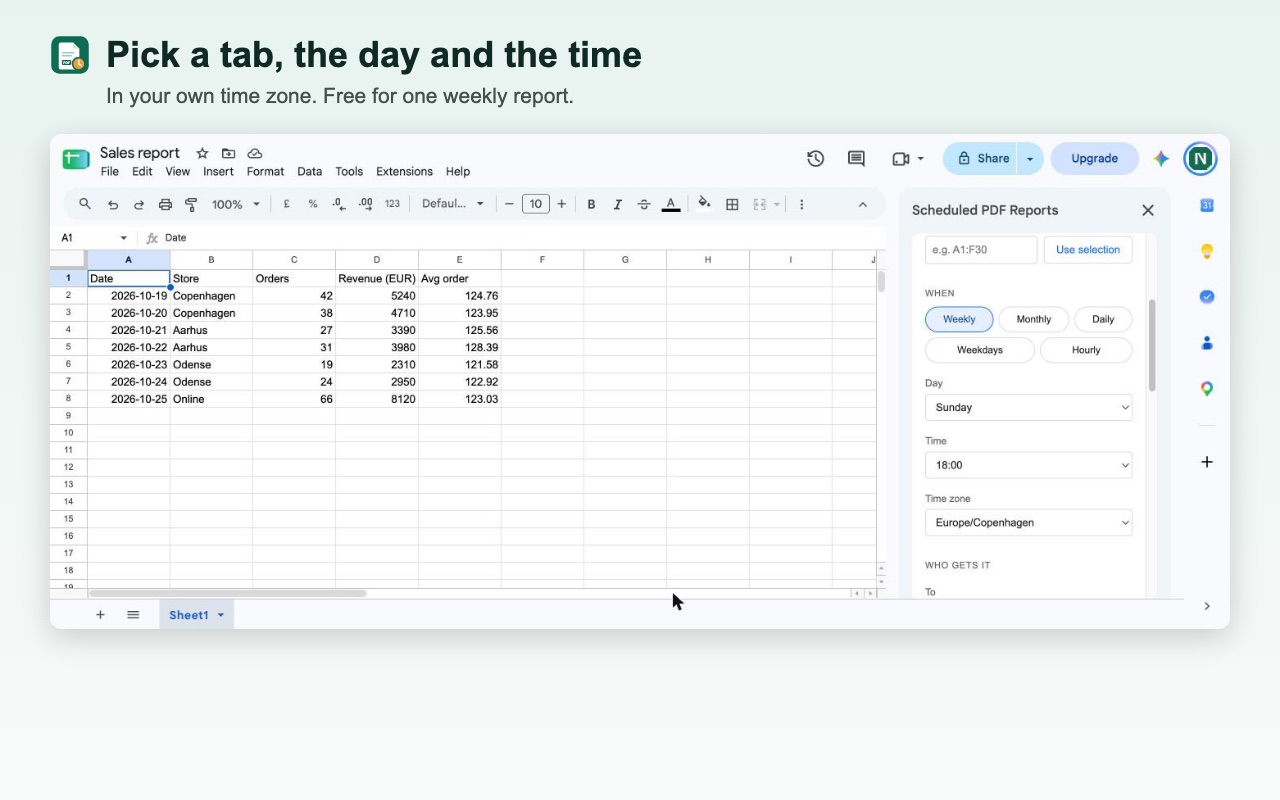
A PDF that looks right, and an email people read
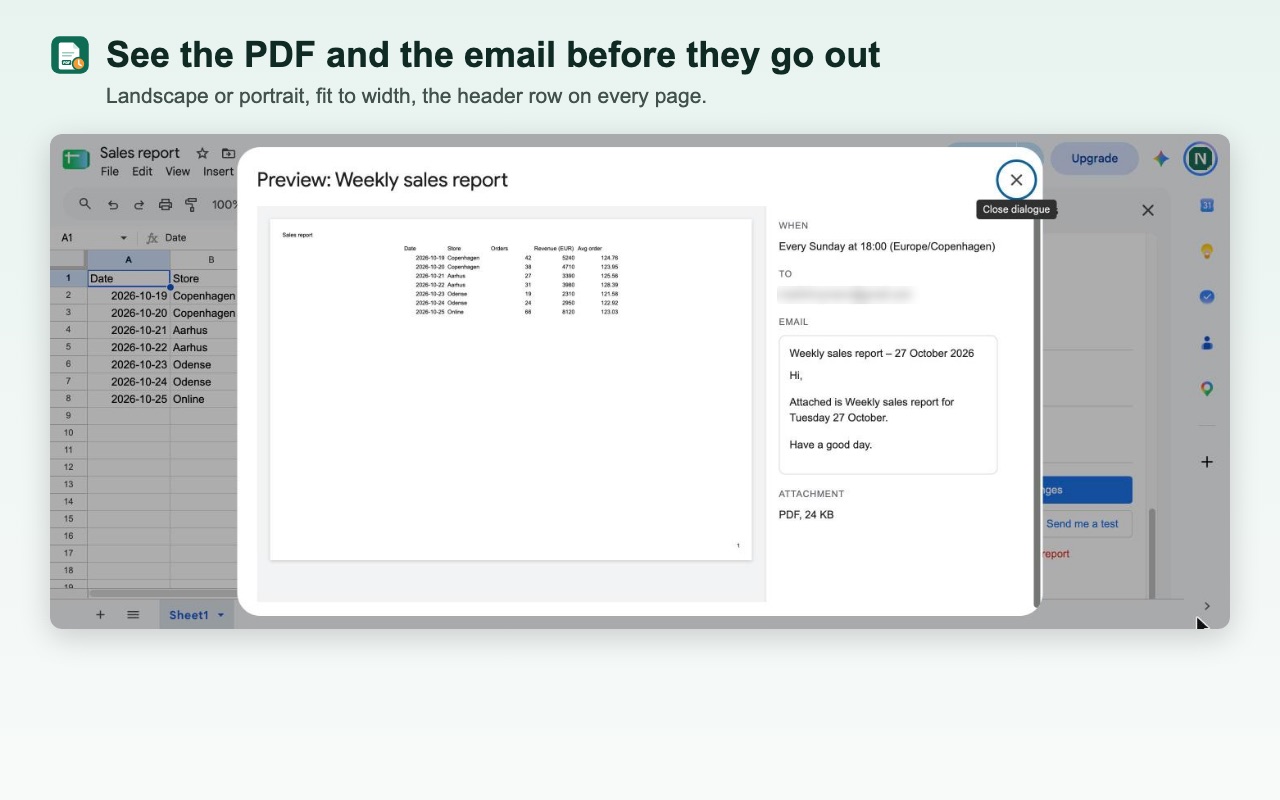
Landscape or portrait, fit to width, the header row on every page, and page numbers at the bottom. You see the PDF and the email before anything goes out. With Pro, the subject can carry a live number from your sheet, like "Revenue yesterday: €12,400", so people get the news without opening the attachment.
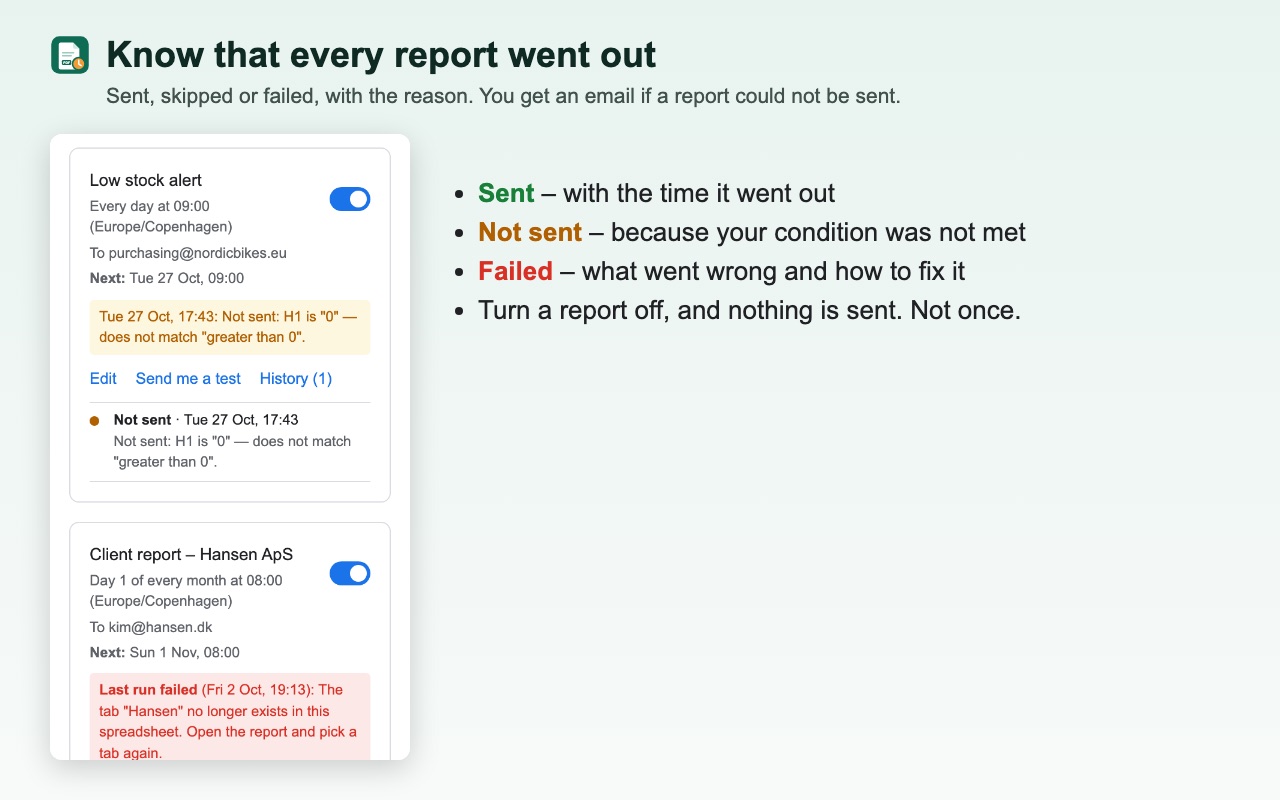
You always know it went out
Every run is in the history: sent, skipped and why, or failed and why. If a report cannot be sent, you get an email the same day telling you what to fix. With Pro, a report can wait for a condition, such as a stock alert that only goes out when something drops below its minimum.
It only opens the spreadsheet you choose
Many tools that email spreadsheets ask to see, edit and delete every spreadsheet you have. This one can only open the spreadsheet you use it in. The PDF is made by Google Sheets and sent from your own Gmail, and your data never passes through our servers.
Plans
Free
€0
1 scheduled report
- Weekly or monthly
- PDF of a tab, a range or the whole sheet
- Up to 3 recipients
- History of every report sent
Pro
€5
a month, or €48 a year
- Up to 25 reports
- Daily, weekdays only or every hour
- Excel and CSV as well as PDF
- Live numbers from your sheet in the email
- Only send when a condition is met
- Up to 50 recipients
Prices exclude VAT. One price for all your reports, with no fee per report. Paid plans are sold through Stripe. Cancel any time from the side panel.
How to email a Google Sheet as a PDF on a schedule
- 1
Install Scheduled PDF Reports
Click Install on the Google Workspace Marketplace page and choose your Google account.
- 2
Open your spreadsheet
In Google Sheets, choose Extensions → Scheduled PDF Reports for Google Sheets → Open scheduled reports.
- 3
Pick the tab and send yourself a test
Choose the tab or a range like A1:F30 and click Email me this tab as a PDF. The PDF is in your inbox a few seconds later.
- 4
Choose when and who gets it
Pick the day and time in your own time zone, for example every Monday at 08:00, and add the recipients. From then on it runs by itself.
Questions
Is it free?
Yes, one scheduled report is free for as long as you like: weekly or monthly, as a PDF, to up to 3 people. No card is needed. Pro is €5 a month for up to 25 reports, daily and hourly schedules, Excel and CSV.
Does the report go out when the spreadsheet is closed?
Yes. Once a report is scheduled, it is sent at the time you chose, whether the spreadsheet is open or not and whether your computer is on or off.
Can I email just one tab or a range as a PDF?
Yes. Send one tab, a range like A1:F30 or the whole spreadsheet. You choose landscape or portrait, fit to width or to one page, A4 or Letter, and whether the header row repeats on every page.
Can I email a Google Sheet as a PDF without an add-on?
Yes, by hand: choose File → Email → Email this file in Google Sheets and pick PDF. That sends it once. To send it again next week, you do it again. Scheduled PDF Reports sends it for you, every time, at the time you chose.
Who sends the email?
Your own Gmail account, so the report comes from you and replies go to you. The side panel shows how much of Google's daily email allowance you have left.
What can the add-on see in my Google account?
Only the spreadsheet you open it in. It cannot open your other spreadsheets, read your email or browse your Google Drive. The PDF is made by Google Sheets, and your data never passes through our servers.
More help: Scheduled PDF Reports help and support. Scheduled PDF Reports is made by AddonNordic ApS, Aalborg, Denmark (CVR 46495985). Google Sheets, Gmail and Google Drive are trademarks of Google LLC; Scheduled PDF Reports is not made or endorsed by Google.
Send your first report free
Install Scheduled PDF Reports, open any Google Sheet and email yourself a test PDF. Then pick the day and the time, and it keeps going by itself.